Excerpt from the project brief
Find a project made by someone else that makes effective use of this tool or medium. (Make your selection in advance of your first tutorial on Jan 16, and bring it to share and discuss with your group.)
My Reasoning for choosing p5.js
Before I introduce my chosen tool, I’ll briefly explain why I selected it, based on what I’ve learned from Methods of Translating. During the visual exploration for this brief, I realised the limitations of the tools I usually use, like Illustrator. I wanted to visualise the ‘collapsing’ of graphic elements over time, but static software couldn’t fully convey that.
This led me to experiment with creative coding. Since I had no prior experience, I utilised AI, or what some call ‘vibe coding,’ to develop a generative tool. Then I developed a concept for this tool that allowed me to upload images and text, which would then collapse under adjustable parameters I set. I used the resulting outputs as graphic elements in my publication.
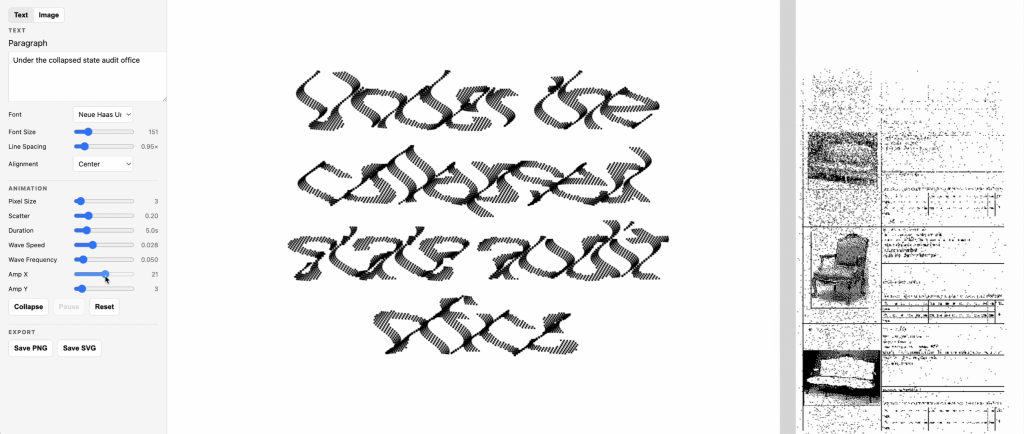
An interface of a collapsing tool
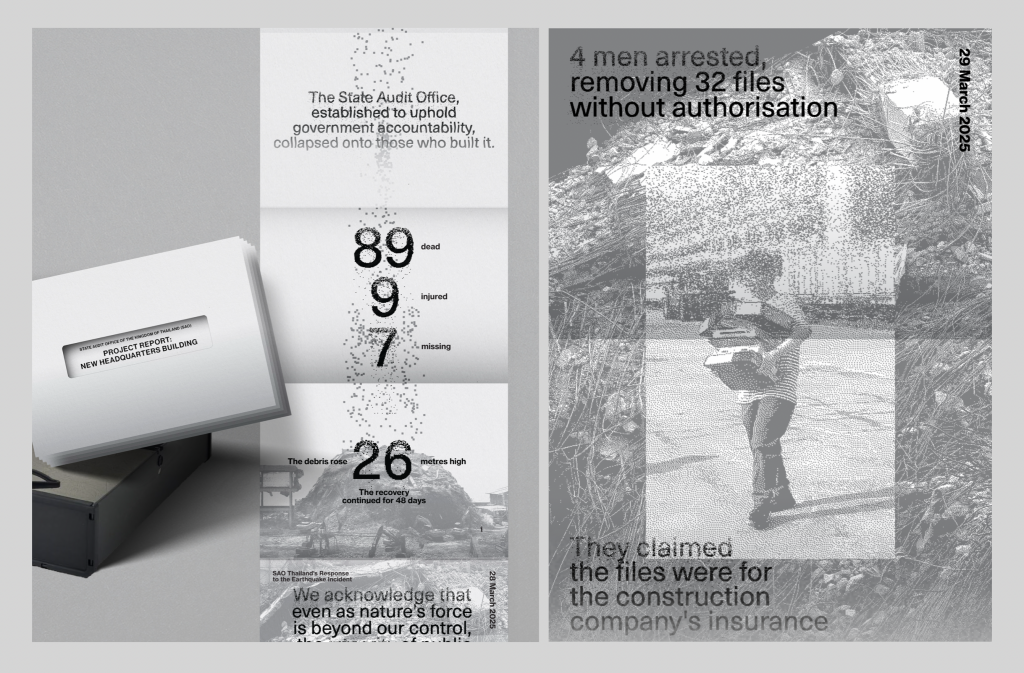
Example of how I use graphic elements from that tool in layout and publication design
This example from my publication investigates the earthquake in Thailand that caused a building to collapse. I found this approach effective for creating graphic components because it allowed me to develop a repeatable system that can be used across many visual elements, saving me from crafting each one manually. Using a generative tool also maintains consistency in the artwork and makes it easier to extend into other media in the future.
The chosen tool
That project ignited my curiosity about what I can achieve through creative coding. I aim to learn the fundamentals of coding and expand my skills using p5.js, a library and tool designed for learning coding and creating visual art.
I believe learning to code will benefit me more than just vibing with AI. I’m also curious about how it uses language to produce visuals instead of drawing with vectors.
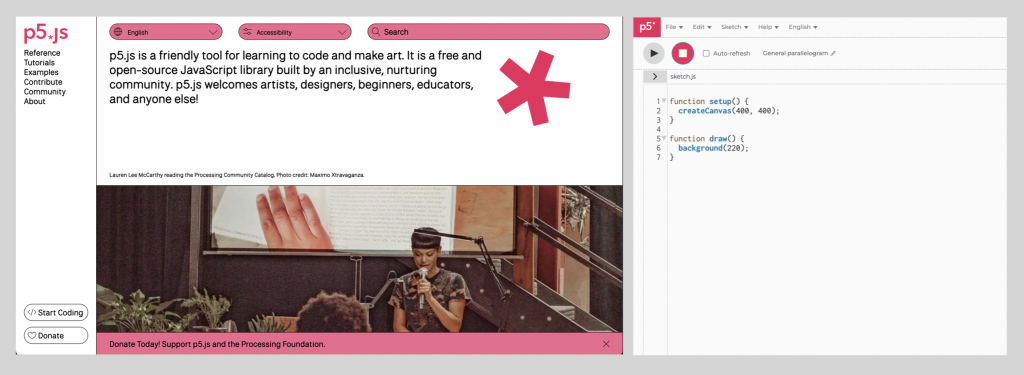
The chosen project
The project I selected to replicate is a generative poster app created by DIA Studio. It demonstrates an effective way of using code to generate endless compositions. The app allows control over various parameters, such as line thickness, dot size, density, and motion, making it a valuable reference for me to learn how to draw basic lines and shapes programmatically and how a visual system can be managed through these controls. I plan to first replicate the visual output and then adjust the parameters. I’m unsure how difficult this will be and may not implement all functions, but I will do my best to complete it within one week.
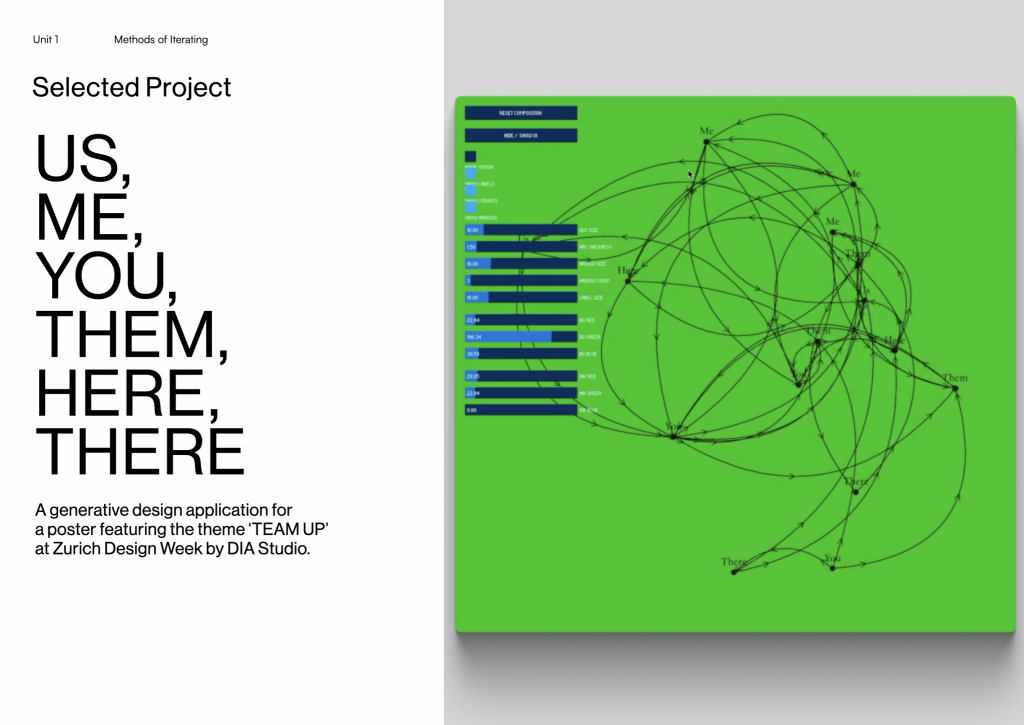
Reference
Dia Studio (2025) Us, Me, You, Them, Here, There [Digital art]. Available at: https://www.instagram.com/p/DOeV-szEnZm/?hl=en&img_index=1 (Accessed: 15 January 2026).
Leave a Reply